How to Budget Abroad in One Currency
Rosemoni is an expense tracker that handles multiple currencies by keeping your whole budget in one. When you pay in another currency, share the receipt or a screenshot of your banking app with Rosa, the assistant in the app. The amount is converted into your currency, and the original amount, its currency and the rate stay on the transaction.
Why two currencies break a budget
A week away, a move to another country or a shop across the border puts two currencies in the same month. Most people either skip those purchases or type them in as if they were in their own currency. Both make the month wrong: the first hides spending, the second counts 500 of one currency as 500 of another. A budget only adds up when every amount in it is in the same currency.
How to do it in Rosemoni
1. Check your own currency
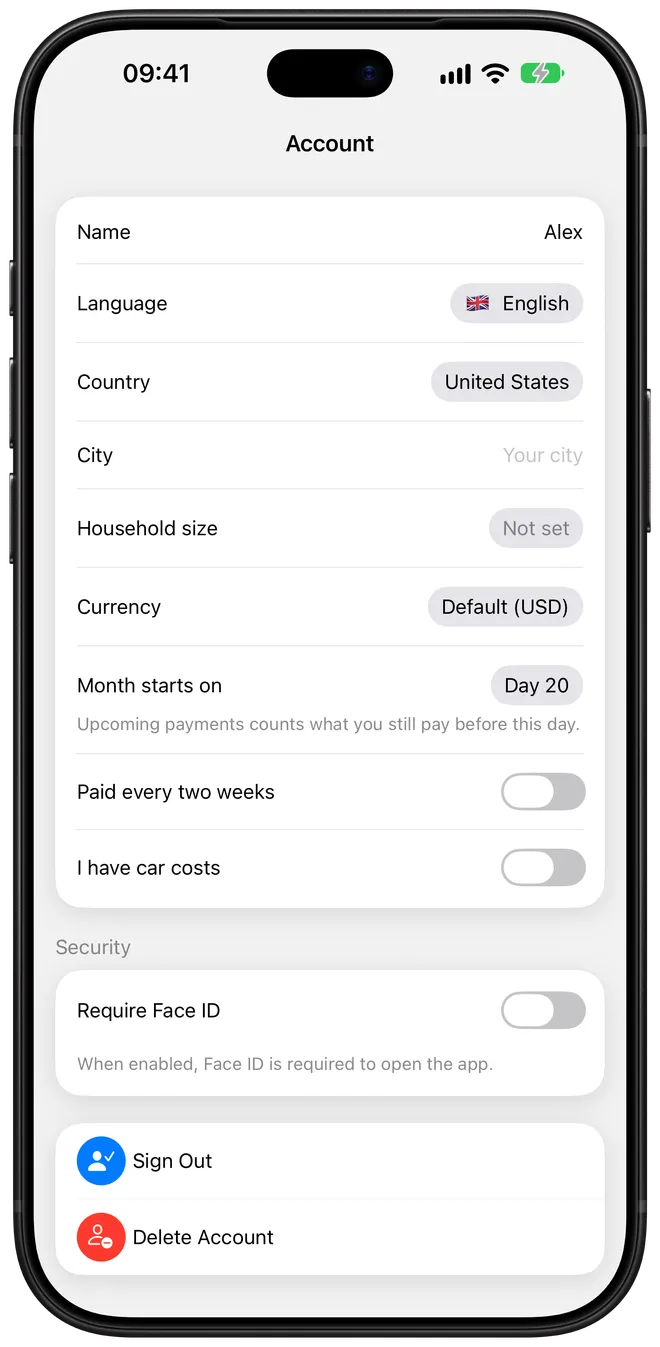
Open the Account screen and look at Currency. That is the currency everything in the app is kept in. By default it follows the region of your iPhone, and you can pick another one from the list.
2. Share what you paid abroad with Rosa
Take a photo of the receipt, or a screenshot of the payments in your banking app, and share it with Rosa. She reads the currency printed on it and converts each amount into yours, at the latest daily rate.
3. Check it before it is saved
You see every row before anything is saved. Change what looks off, then import it. Each foreign purchase keeps the amount you paid, its currency and the rate.
4. Add a cash payment by hand
Cash leaves no screenshot. Add the transaction yourself, tap the currency under the amount and pick the currency you paid in. Type what you paid there, and what it cost in your own currency as the amount. The rate between the two shows next to it.
5. Set the amount to what your bank charged
Your bank’s rate and fees are rarely the daily rate. When the statement arrives, change the amount to the figure your bank took. The original amount stays as it was, and the rate changes to the one you really got.
Good to know
- Your totals always add up. Budgets and reports count the amount in your own currency, so a month with a trip in it reads like any other month.
- The original is never lost. It shows next to the amount in your lists and is part of the CSV export, with its currency and the rate.
- No bank connection needed. A receipt or a screenshot is enough, and your bank logins stay with you.
More on receipts from abroad: How to scan receipts in another language and keep them in yours.
Questions
Which exchange rate is used?
The latest daily rate at the moment you import the receipt or screenshot. You can change the converted amount afterwards, for example to what your bank really charged, and the rate on the transaction follows.
Can I still see what I paid in the foreign currency?
Yes. The original amount, its currency and the rate stay on the transaction. The original amount shows next to it in your lists, and all three are in the CSV export.
Do I need a separate budget for a trip?
No. What you spend abroad is converted into your own currency, so it counts in the budgets you already have.
What about cash I paid abroad?
Add the transaction yourself. Tap the currency under the amount, pick the currency you paid in, and type what you paid next to what it cost in your own currency.
More guides
- The Best Budgeting Apps in Canada (2026)
The best budgeting apps in Canada in 2026 compared side by side: bank connection, receipts, subscriptions, payday budgets, assistants, family sharing and price.
- The Best Budgeting Apps in the UK (2026)
The best budgeting apps in the UK in 2026 compared side by side: bank connection, receipts, subscriptions, payday budgets, assistants, family sharing and price.
- The Best Budgeting Apps in the US (2026)
The best budgeting apps in the US in 2026 compared side by side: bank connection, receipts, subscriptions, payday budgets, assistants, family sharing and price.