Rosemoni

Make managing money feel natural

Meet Rosa, your AI finance assistant. Give everyone in the family their own clear budget so you stay aligned and never spend over your income — and track spending in seconds by dictation, text, or a photo. No bank linking, no setup.

Dictate, type, or snap a photo
No bank linking
Track your accounts, if you want to
Your data stays private
Download on the App Store

Finance apps shouldn't feel like work

You know you should track your spending. But who has time for spreadsheets, account linking, and endless categorizing?

💬

Natural input

Tracking expenses shouldn't feel like data entry. It should feel like talking to a friend.

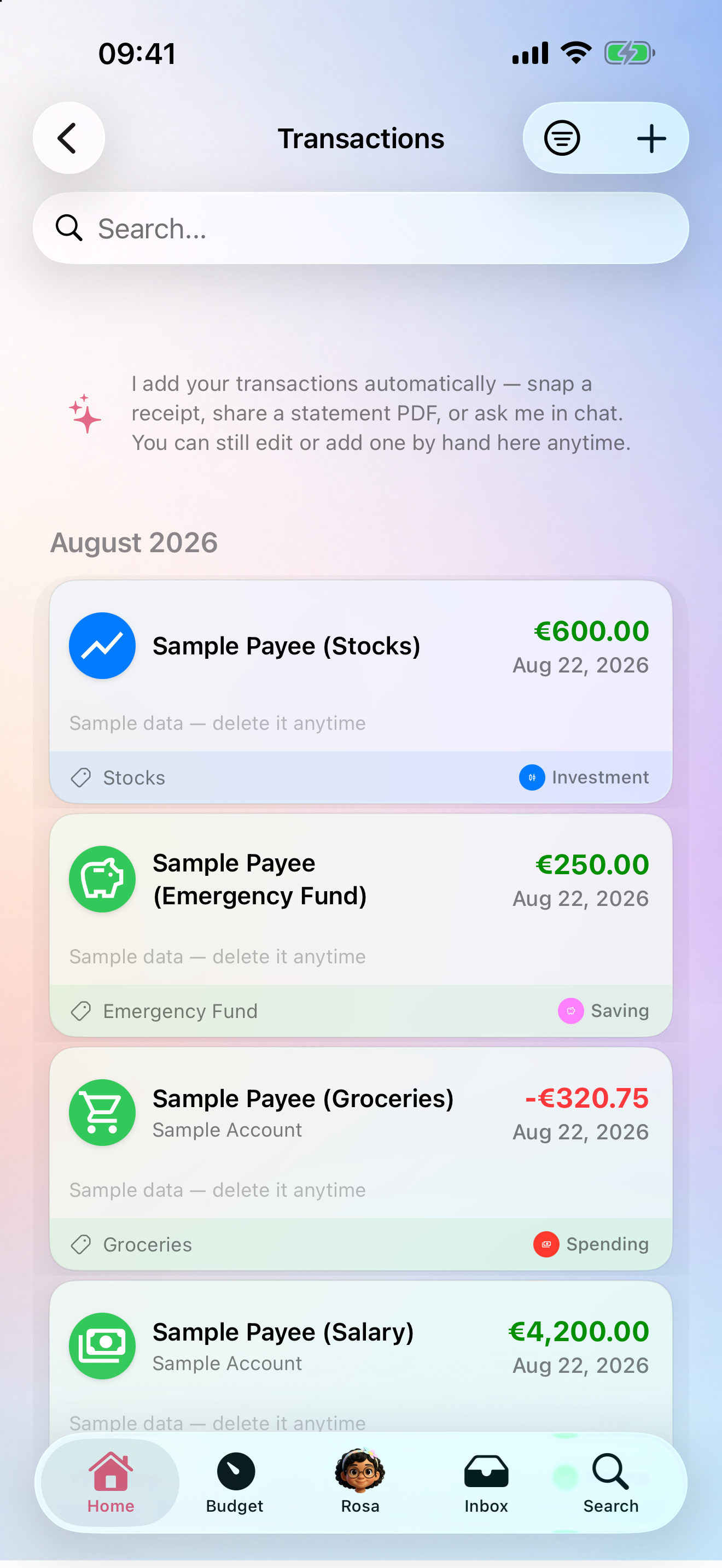
Just say it, snap it, or share it. Rosa understands and logs everything automatically.

🔒

Privacy concerns

Giving apps full access to your bank accounts feels risky. You want control without the surveillance.

No bank linking needed. Your data stays yours, stored in EU servers.

🤯

Overwhelming complexity

Budgets with 47 categories, charts you don't understand, and features you'll never use.

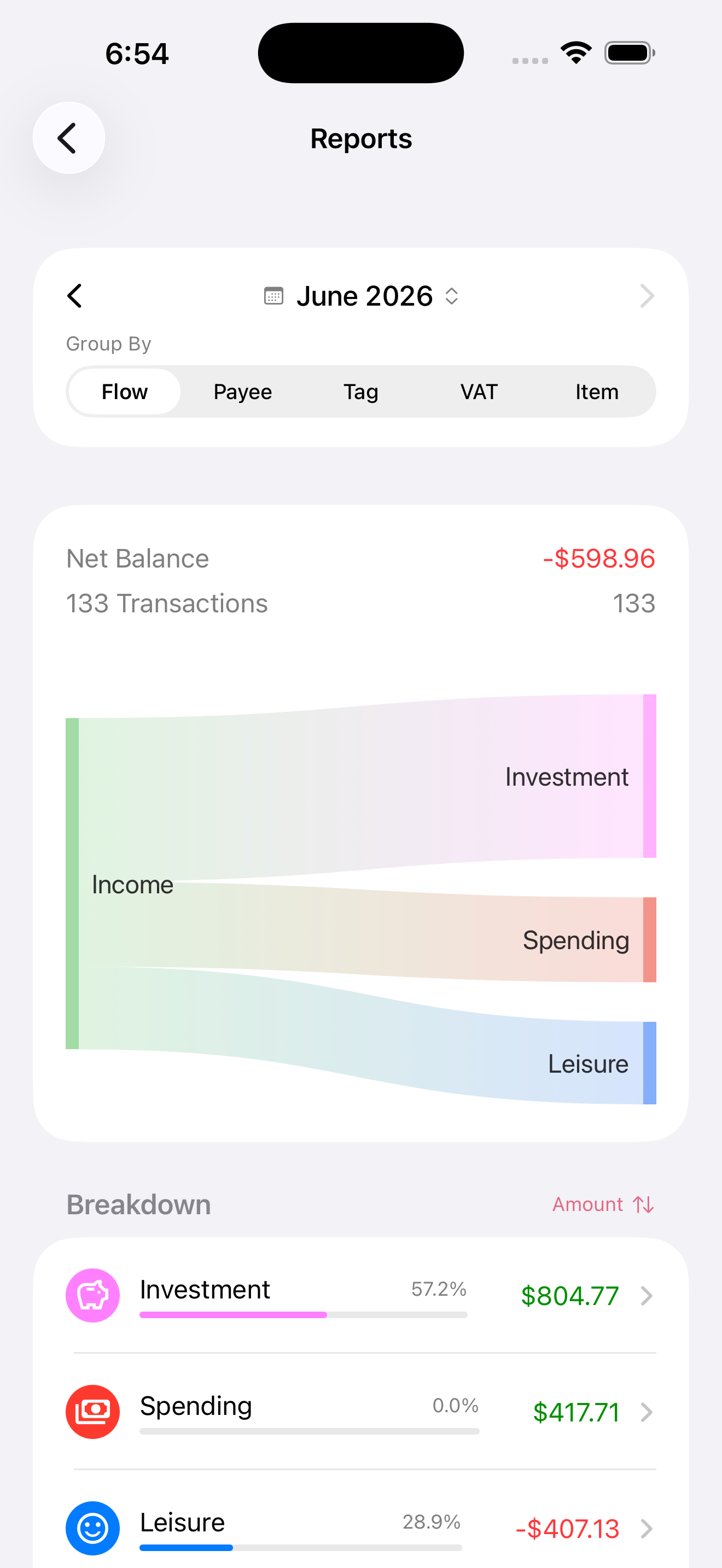
See your money as simple flows: what comes in, what goes out, what stays.

Your whole family, on the same page

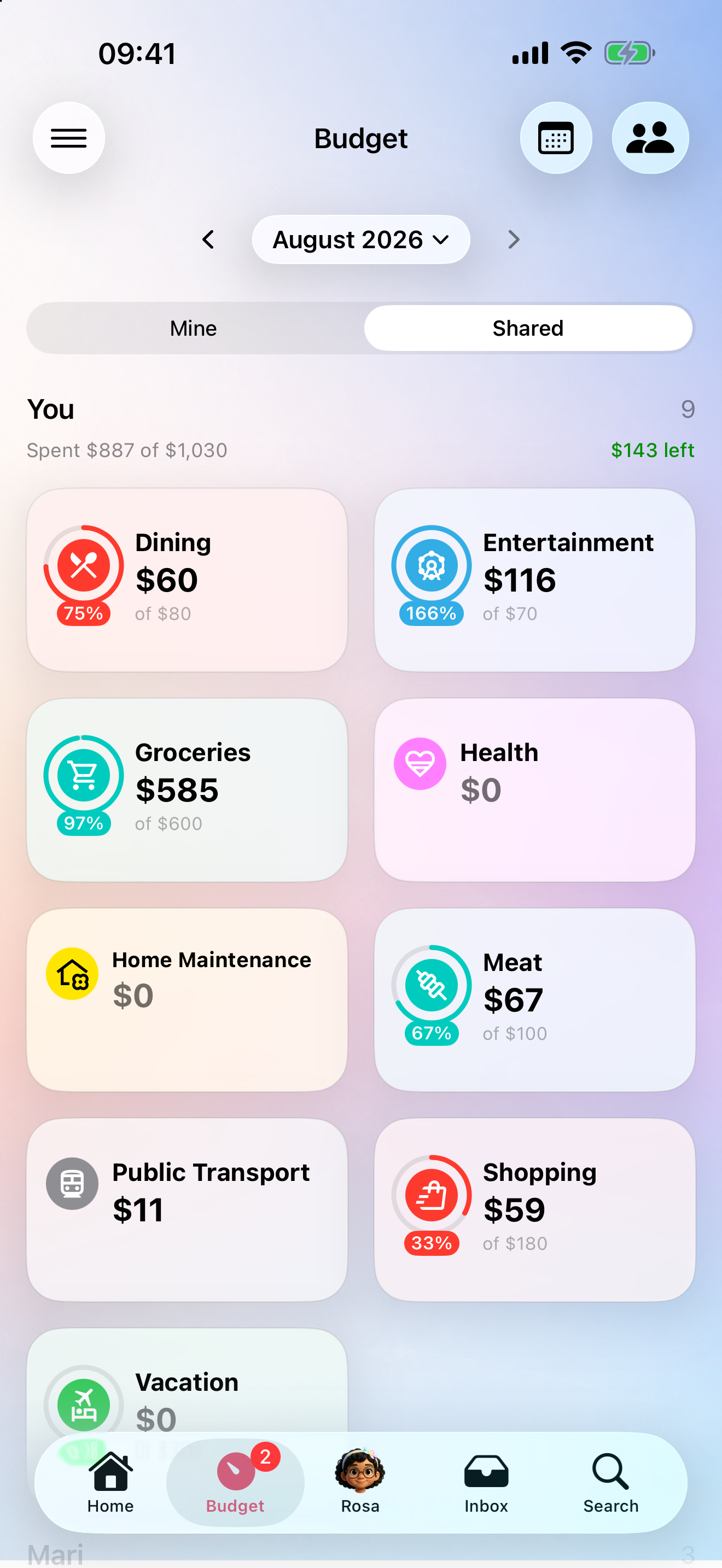
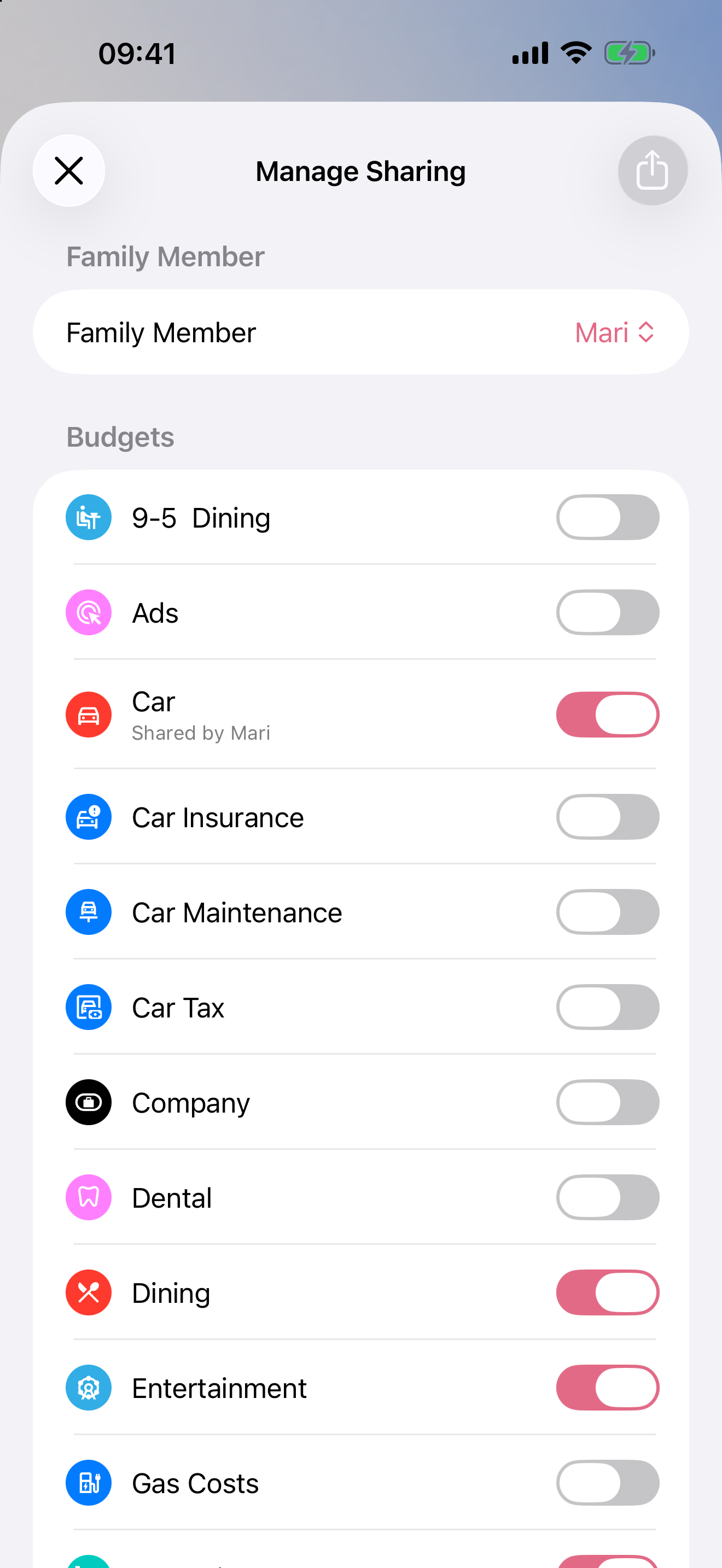
Agree on a budget once, then everyone stays aligned without anyone policing anyone. Share a budget by email — with one person or the whole family — and each participant sees the same live numbers on their own phone, combined across everyone, without sharing bank accounts or logins.

So when anyone is about to buy something, they can glance at where they stand this week and decide right there, on their own — confident they're respecting what was already agreed. No phone call, no "let me check first."

  • A private budget for one person — share it 1:1 so they see their own remaining budget. A teenager can glance at "€12 left this week" and decide for themselves.
  • A shared pot for the whole family — Groceries, Holiday, Bills: everyone sees the combined spend against one shared cap.
  • No bank accounts shared — alignment without handing anyone your logins. Stop sharing at any time.
Share a budget with the family

Invite your family — for free

One subscription covers up to 5 family members. Invite them by name and email; they tap the link, sign in with Google or Apple, and land straight in the full app — no onboarding, no paywall.

They get the full app for free. Only Rosa (the AI) and My Rules for Rosa need their own subscription — and they can add one anytime to unlock those.

One person pays; everyone participates.

Family members sign in with Google or Apple

"Can I afford this?"

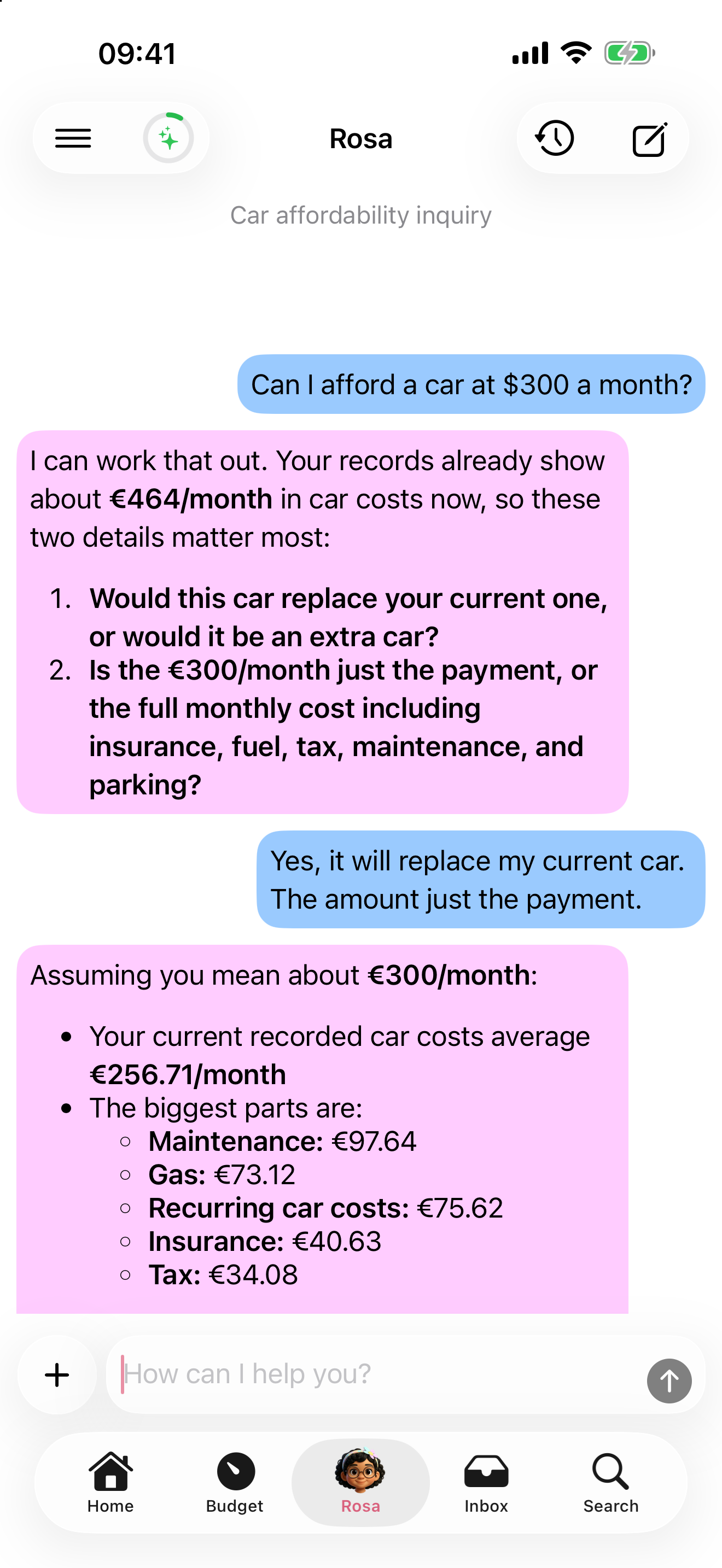
Ask Rosa in plain language — "Can I afford a car at €300 a month?" — and she runs a real analysis, not a guess. She reviews your actual spending and commitments, asks the right follow-up questions, works out the full cost, and compares it against your real monthly surplus.

Then she tells you honestly: comfortably, barely, or not at all — with suggestions. She never tells you to cut your savings to afford something.

Ask Rosa whether you can afford something

Budgets — more than a spending cap

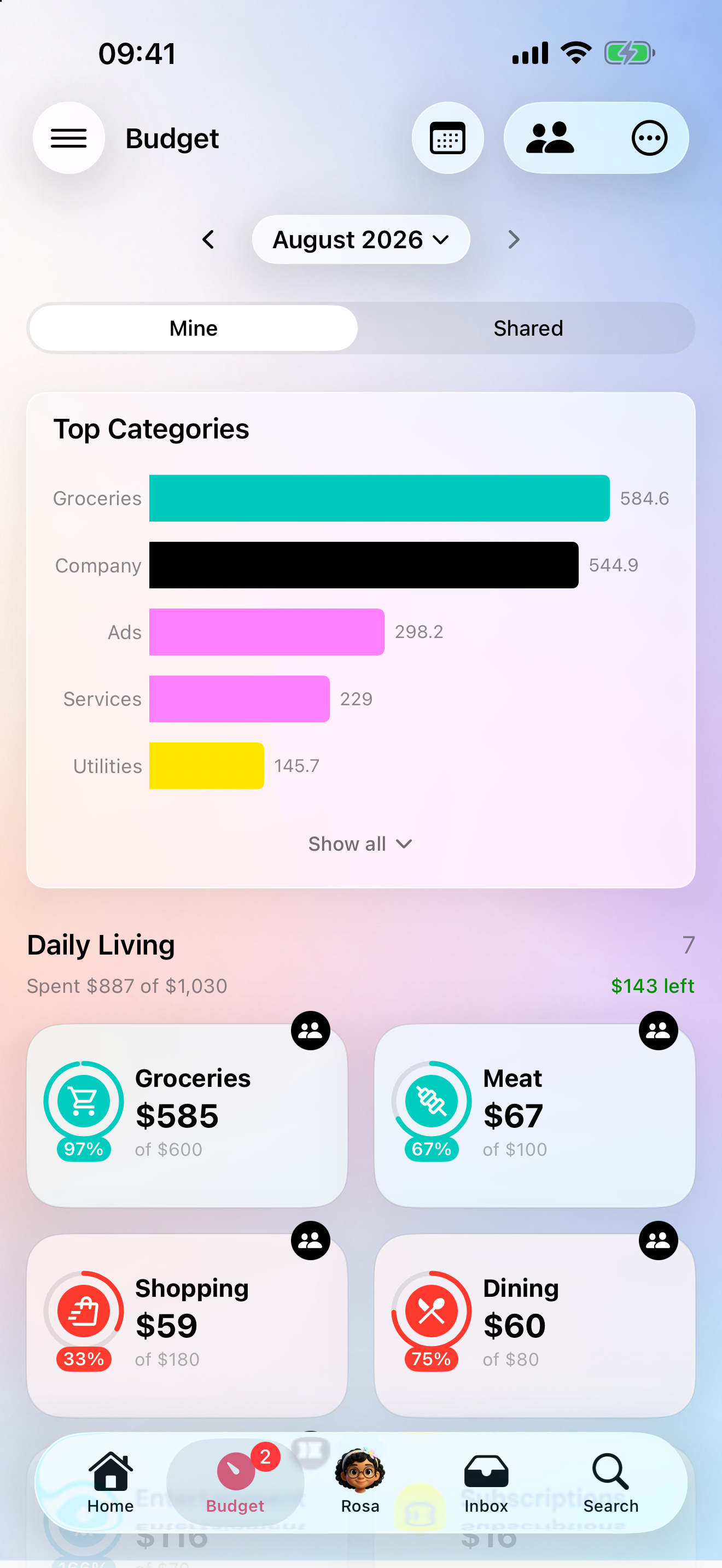
A budget tracks any slice of your money — not just a category with a cap. Tell Rosa what belongs in it using tags, specific shops, and flows (and exclude what doesn't), then give it a limit. The shared budgets above are budgets too.

  • Two views, one number — see this month's spend or a rolling 24-month average, and switch any time
  • Weekly breakdown — split a month into weeks to see where it actually went
  • Trend at a glance — a progress bar and percentage on every card, turning red when you go over, so you spot overspending early
  • Keep it organized — group related budgets (Car, Home, Travel) and tap any card to drill into its transactions
  • A head start — import ready-made budgets across common areas, then make them yours
Budget with its limit, progress bar, and monthly trend

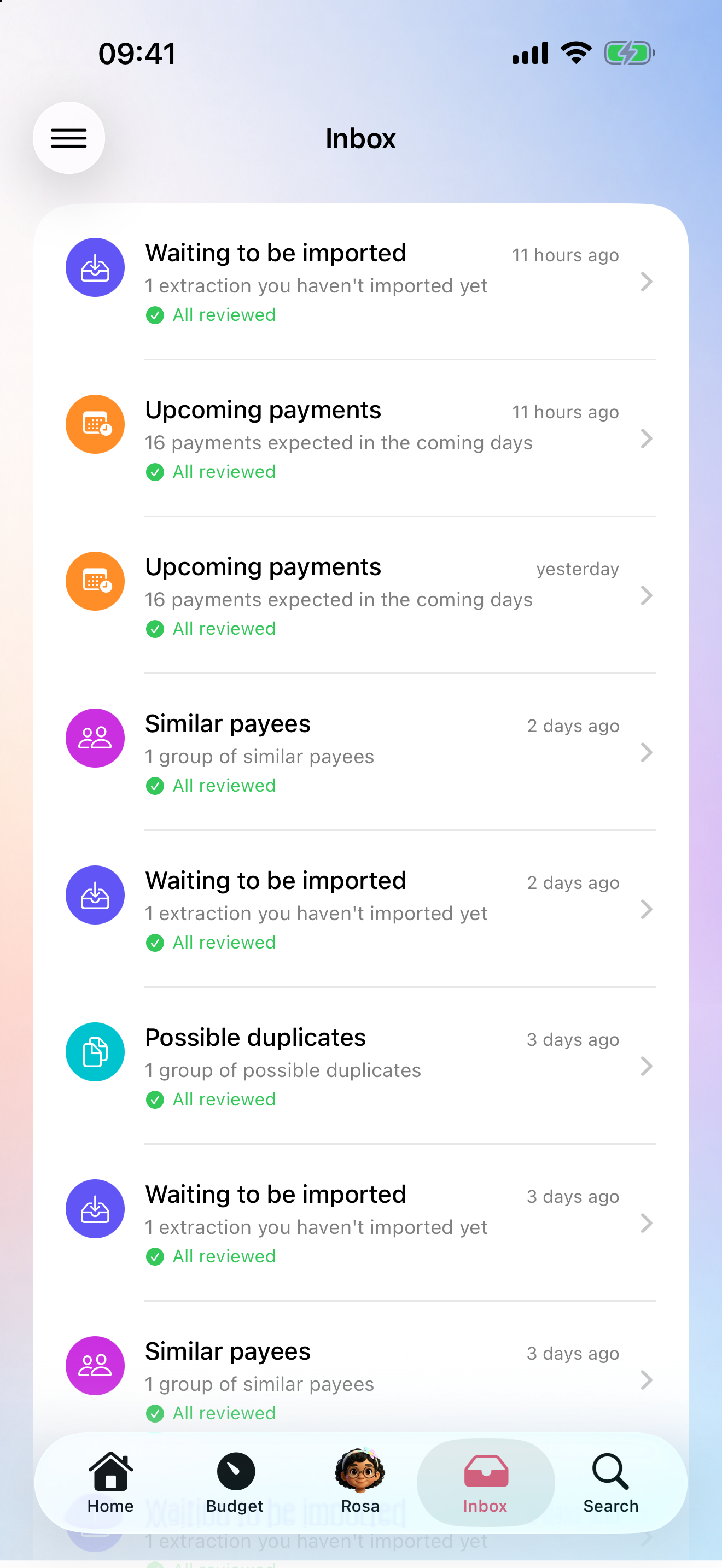
Inbox — what needs your eye

A dedicated tab that works like an email inbox. Rosa reviews things overnight and after every import, and brings you only what needs a decision.

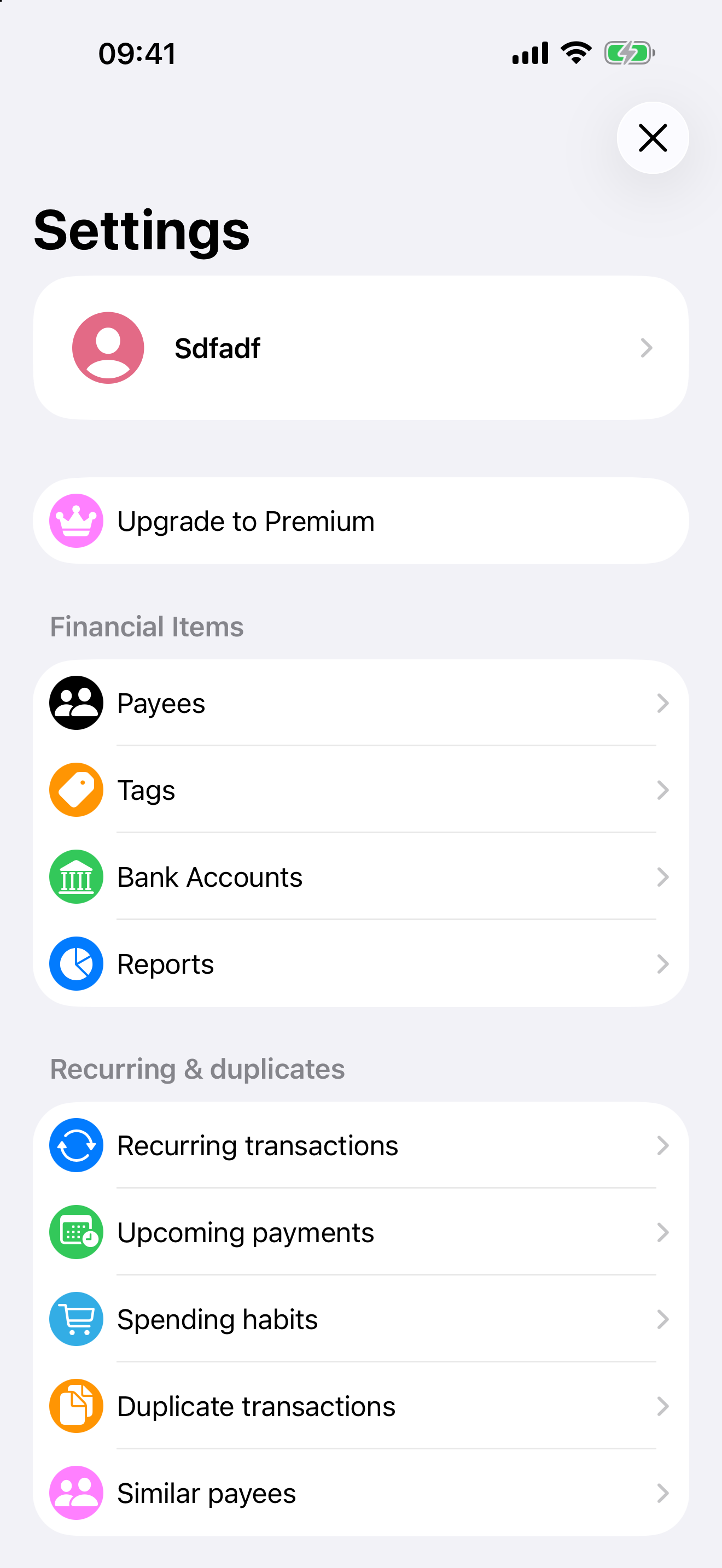
  • New recurring payments — subscriptions and bills Rosa spotted on her own, for you to confirm or dismiss
  • Upcoming payments — a digest of the recurring charges expected in the coming days
  • Spending habits — the payees you pay often but on no fixed schedule
  • Possible duplicates — transactions you likely logged twice, grouped for a quick fix
  • Similar payees — the same shop scanned under different names, ready to merge in a tap
Inbox with recurring payments, upcoming charges, and duplicate detection

Dictate, type, or share

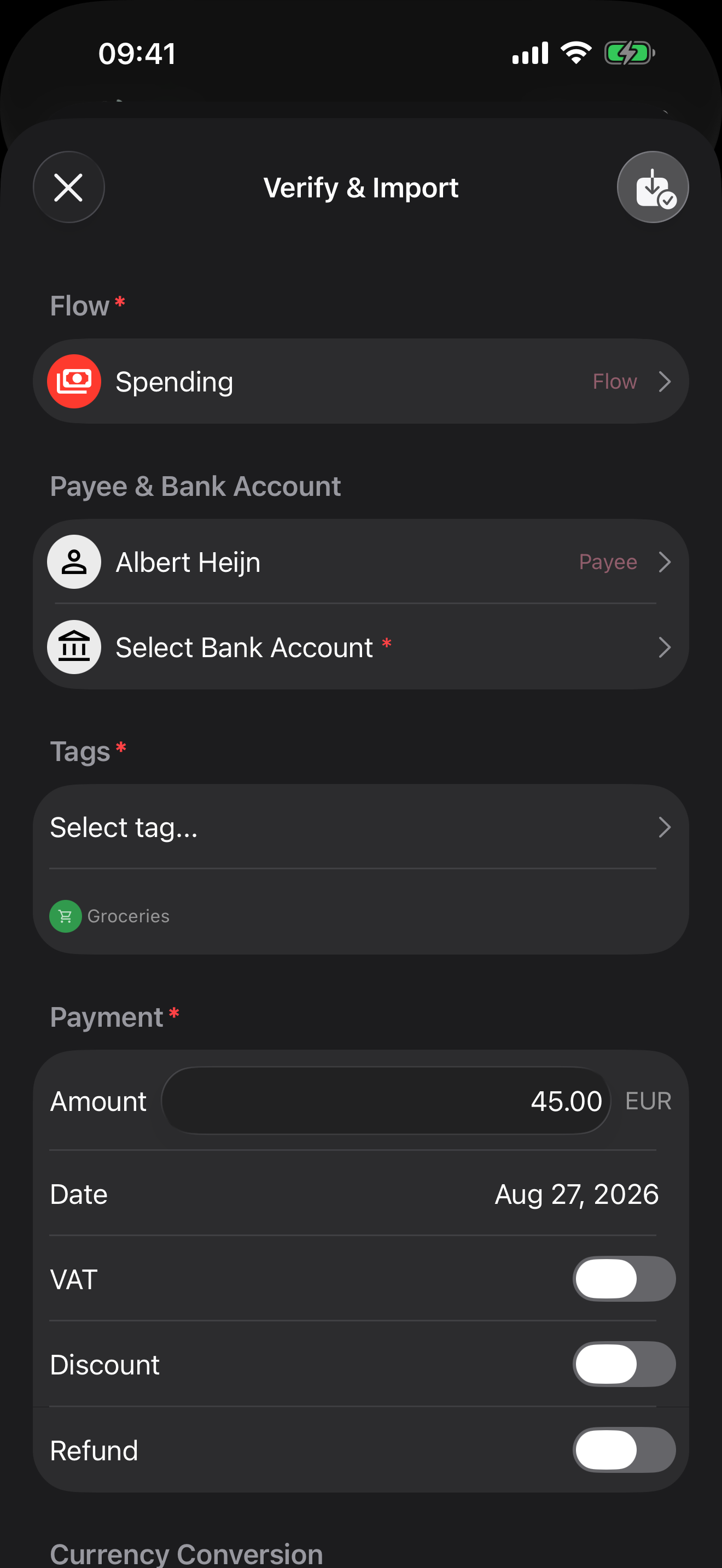
Track spending in seconds — just say "I spent €45 on groceries at Lidl" and Rosa handles the rest. She logs it, categorizes it, and updates your budget automatically.

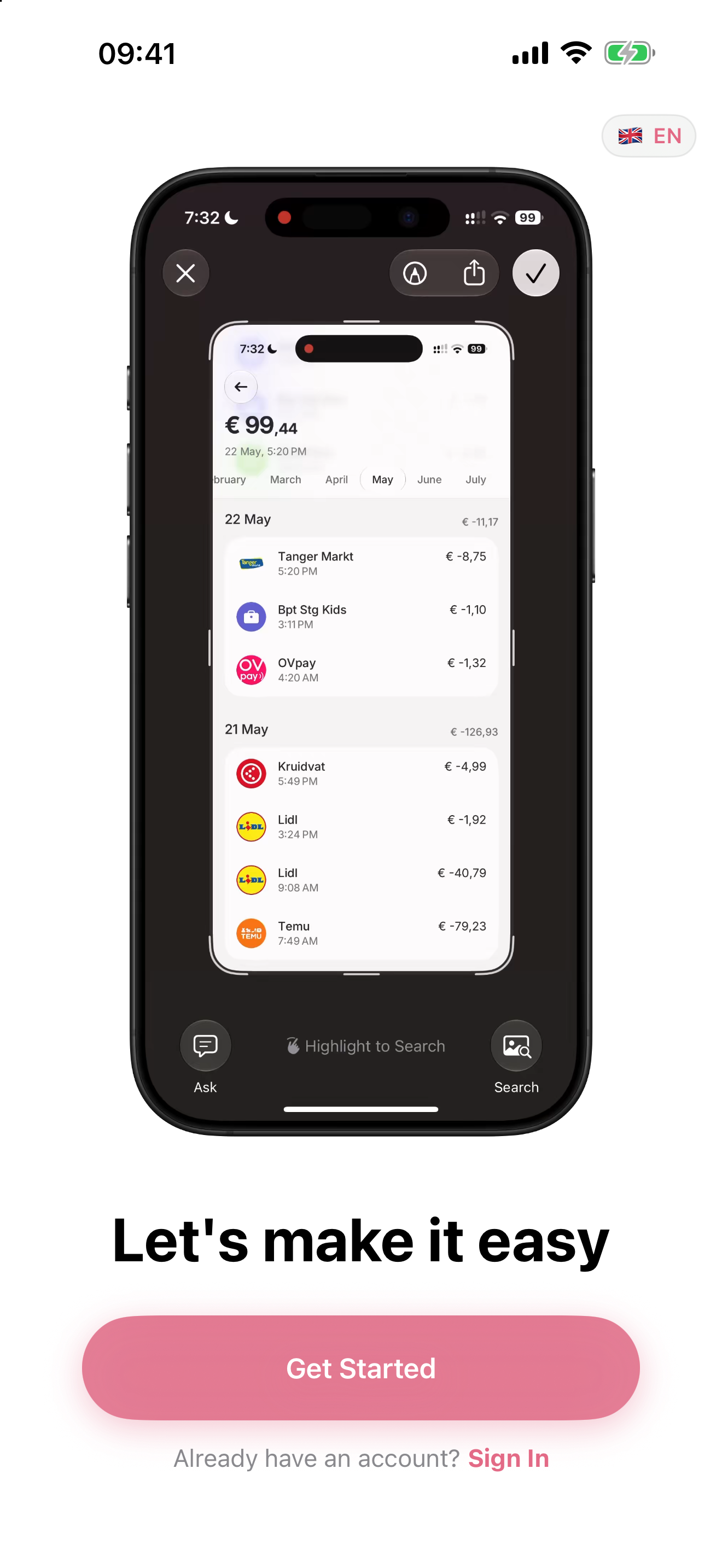
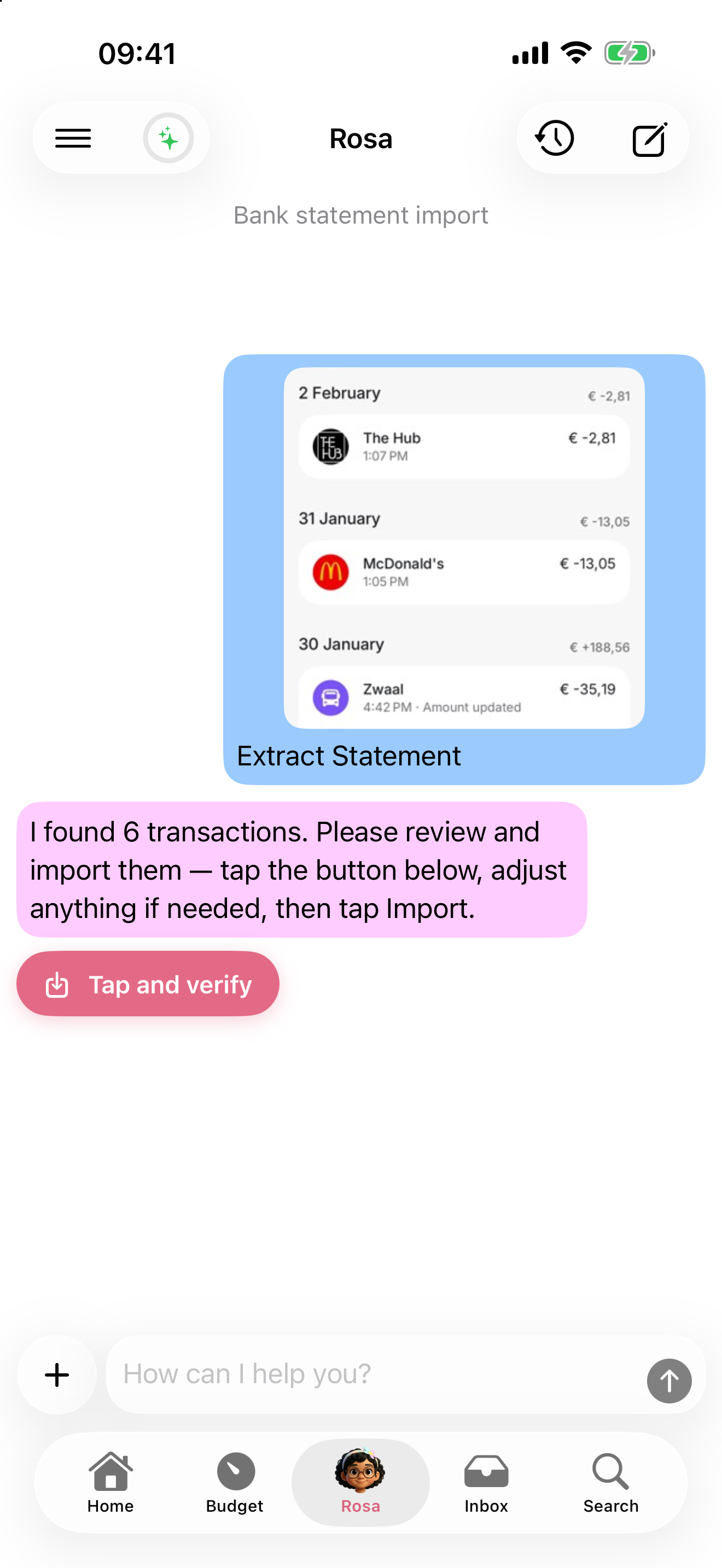
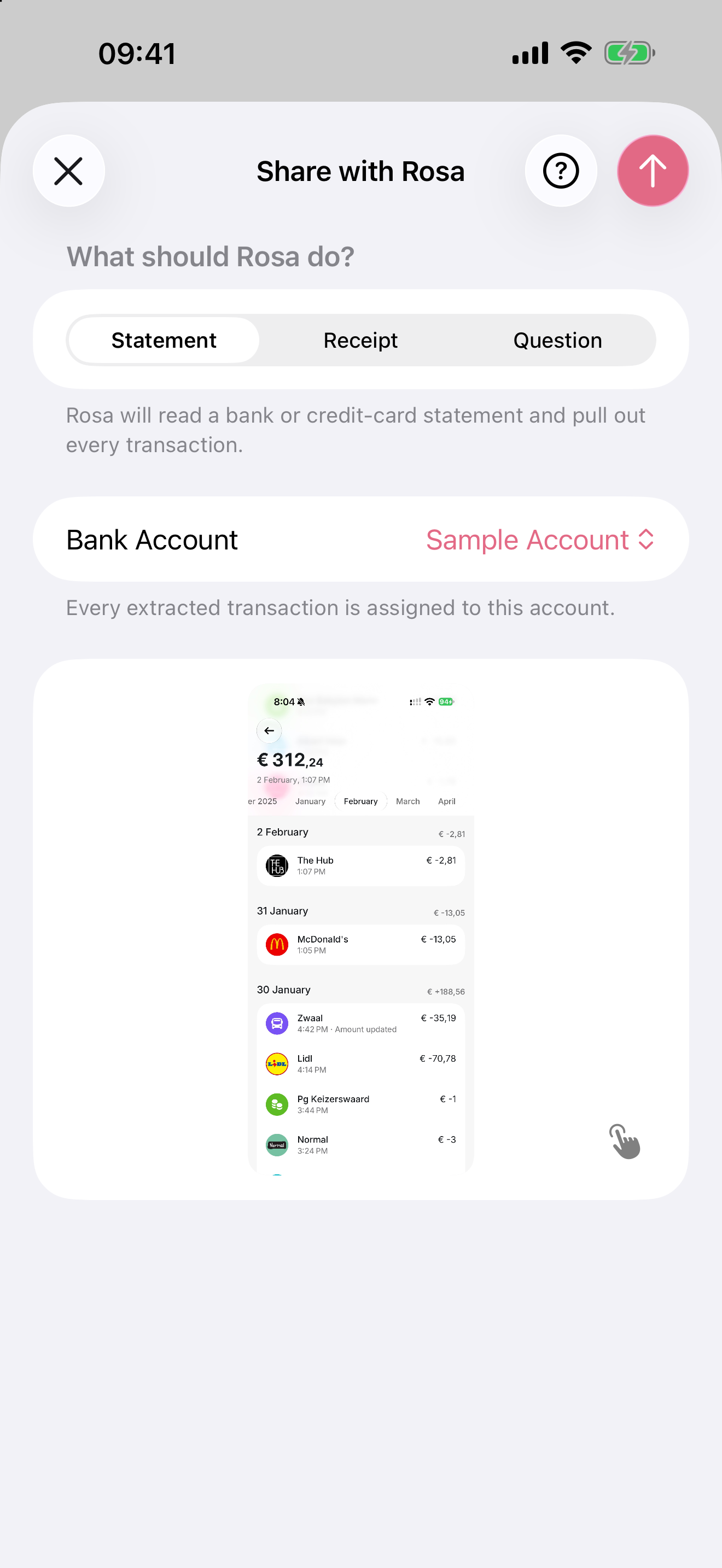
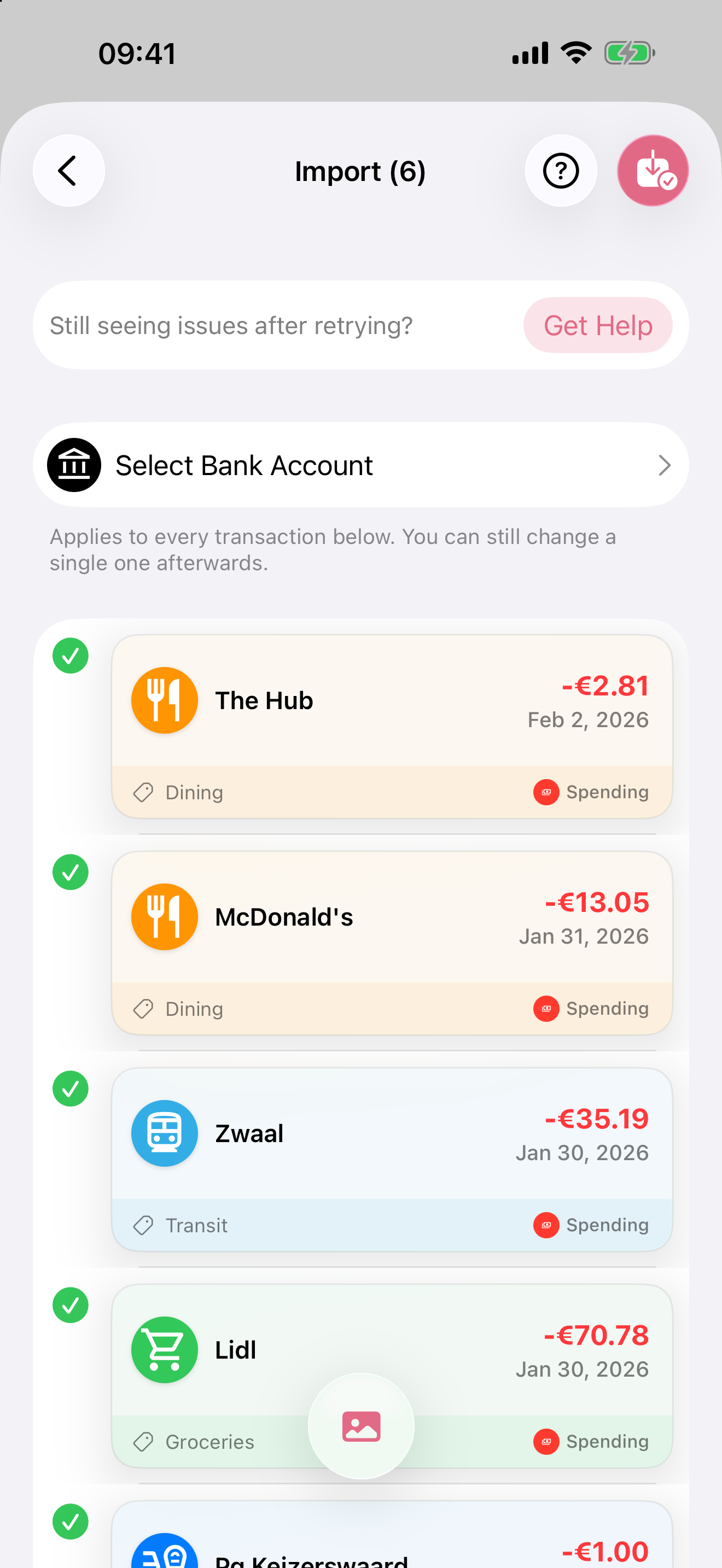
Snap a receipt or share a screenshot from your bank app‡ — Rosa reads it and extracts all transactions. Share directly from Photos, Messages, or Safari without opening the app first.

Accepts input in multiple languages — type in Spanish, dictate in Dutch, snap a French receipt.

Learns Your Habits

The more you use Rosa, the better she understands you. No manual training needed — she improves automatically.

  • Smart flow placement — learns your patterns and places new transactions automatically
  • Duplicate detection — snap a receipt today, import your bank statement tomorrow — no double-counting
  • Refund handling — spots refunds and adjusts your records correctly
  • Context-aware learning — learns from your habits and transaction patterns (e.g., if a merchant you usually pay suddenly pays you, Rosa recognizes it as a refund)

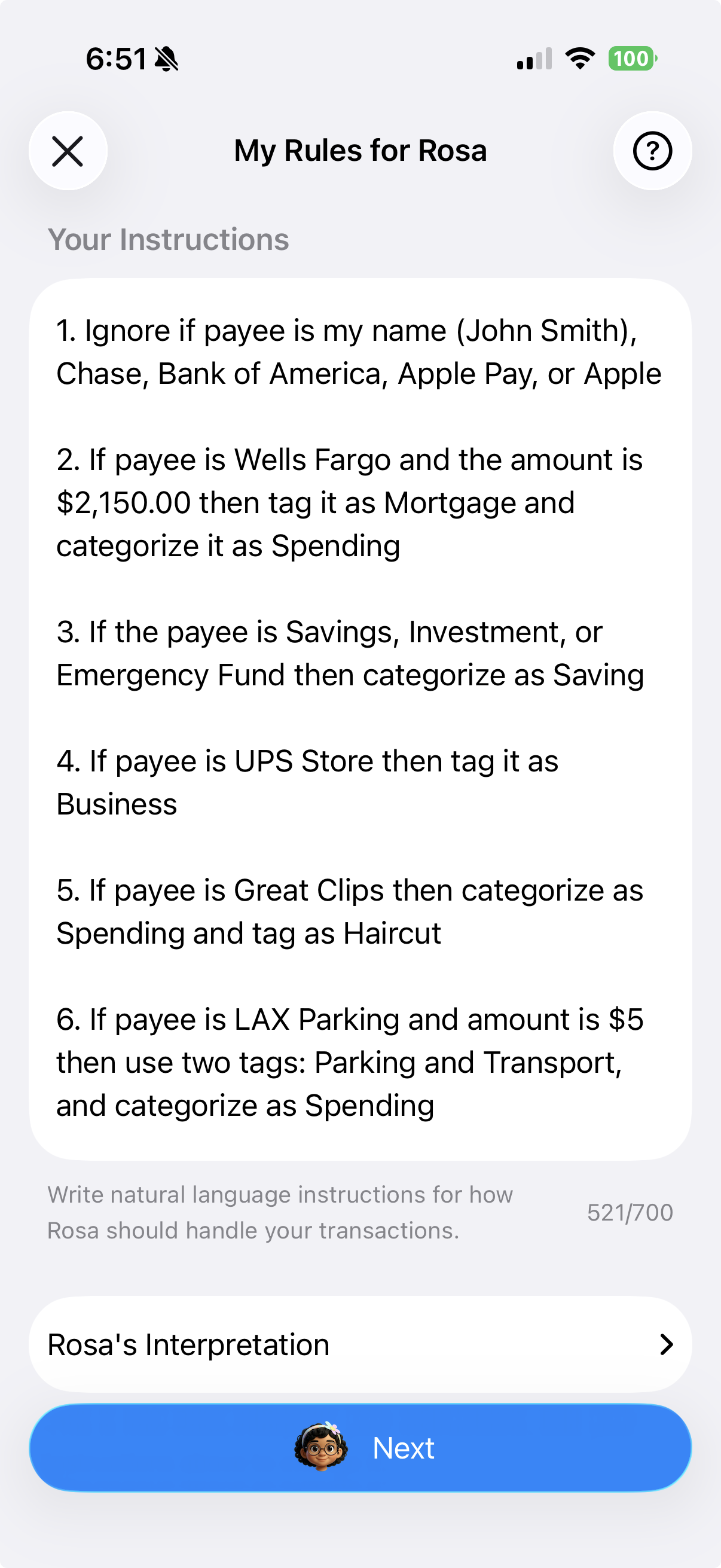
Your rules, your way

Rosa works great out of the box, but you can customize how she handles your transactions. Write rules in plain language and Rosa optimizes and applies them automatically.‡

Tell her things like "Ignore transfers from Venmo", "Tag Netflix as Subscription", or "Always assign coffee shops to Spending" — she'll follow your preferences every time.

Found in Settings → My Rules for Rosa

Custom rules for Rosa

Simple Money Flows

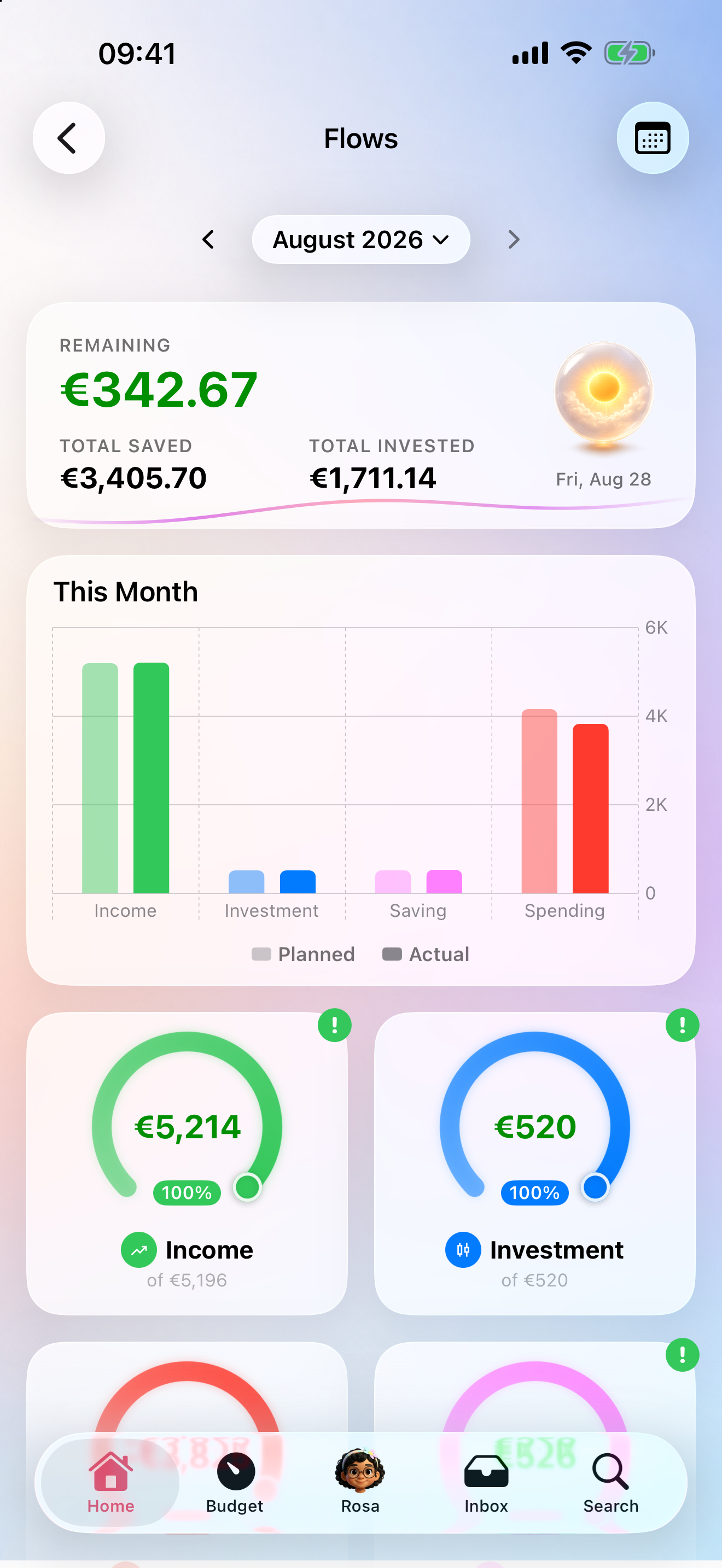
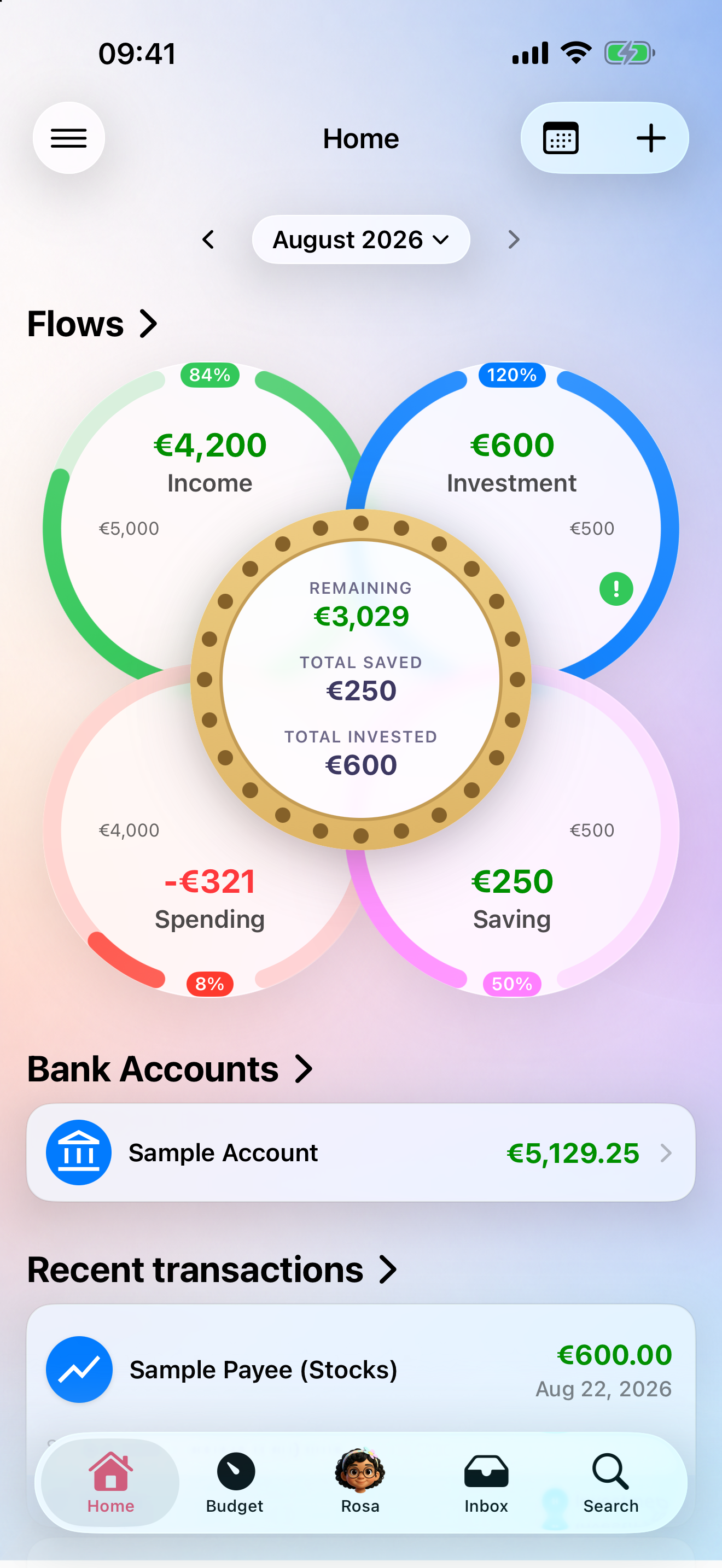
Forget complex budgets with dozens of categories. Rosa uses just four flows — simple by design.

  • Income — what comes in
  • Spending — what goes out (rent, groceries, bills, dining out)
  • Saving — the money you deliberately set aside
  • Investment — what you put to work (stocks, crypto, funds)

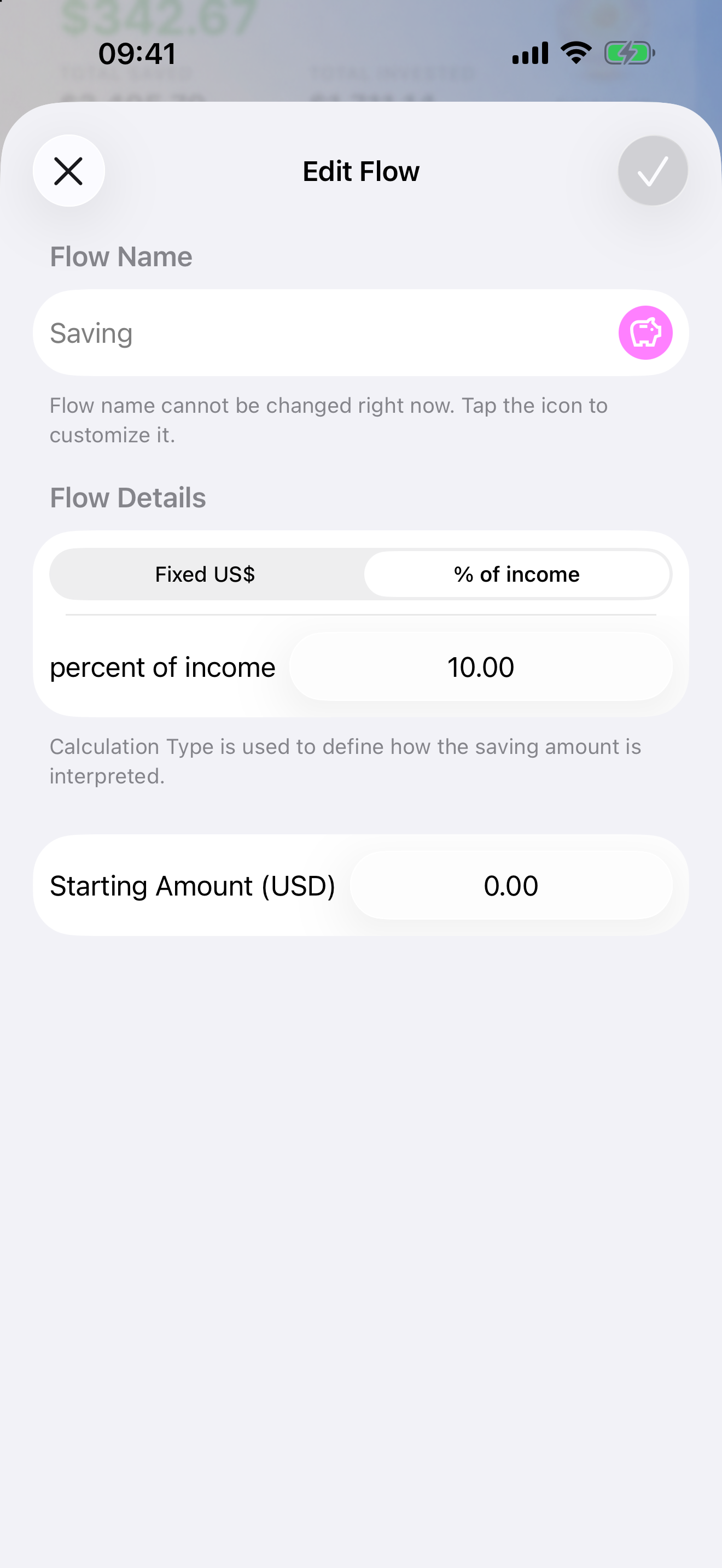
Set a target for each flow — a fixed amount or a percentage of your income — and Rosa tracks your progress automatically. Every month resets — start fresh with clarity.

Money flows visualization

Your privacy matters

We never sell or trade your data — it always stays yours.

Your information is securely stored and processed through trusted cloud providers in the EU, fully GDPR compliant. It is only shared with secure systems that power these features — never sold or used for advertising.

With Rosemoni, we're not interested in your personal data — our goal is to help you manage your finances safely and privately.

Your privacy matters

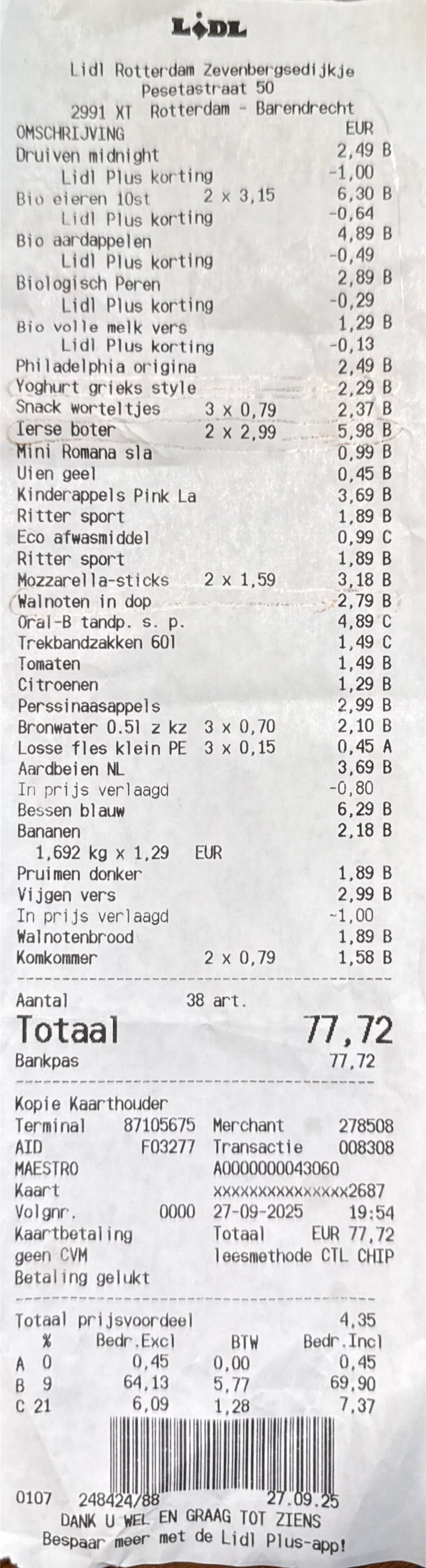
Lost in translation? Not anymore

Shopping abroad or living as an expat? Snap a receipt in different languages — Dutch, Portuguese, Japanese — and Rosa reads it and translates the line items into your language, so a Dutch or Japanese receipt reads back in your own words.

Powered by AI that works across many languages.

Dutch Lidl receipt

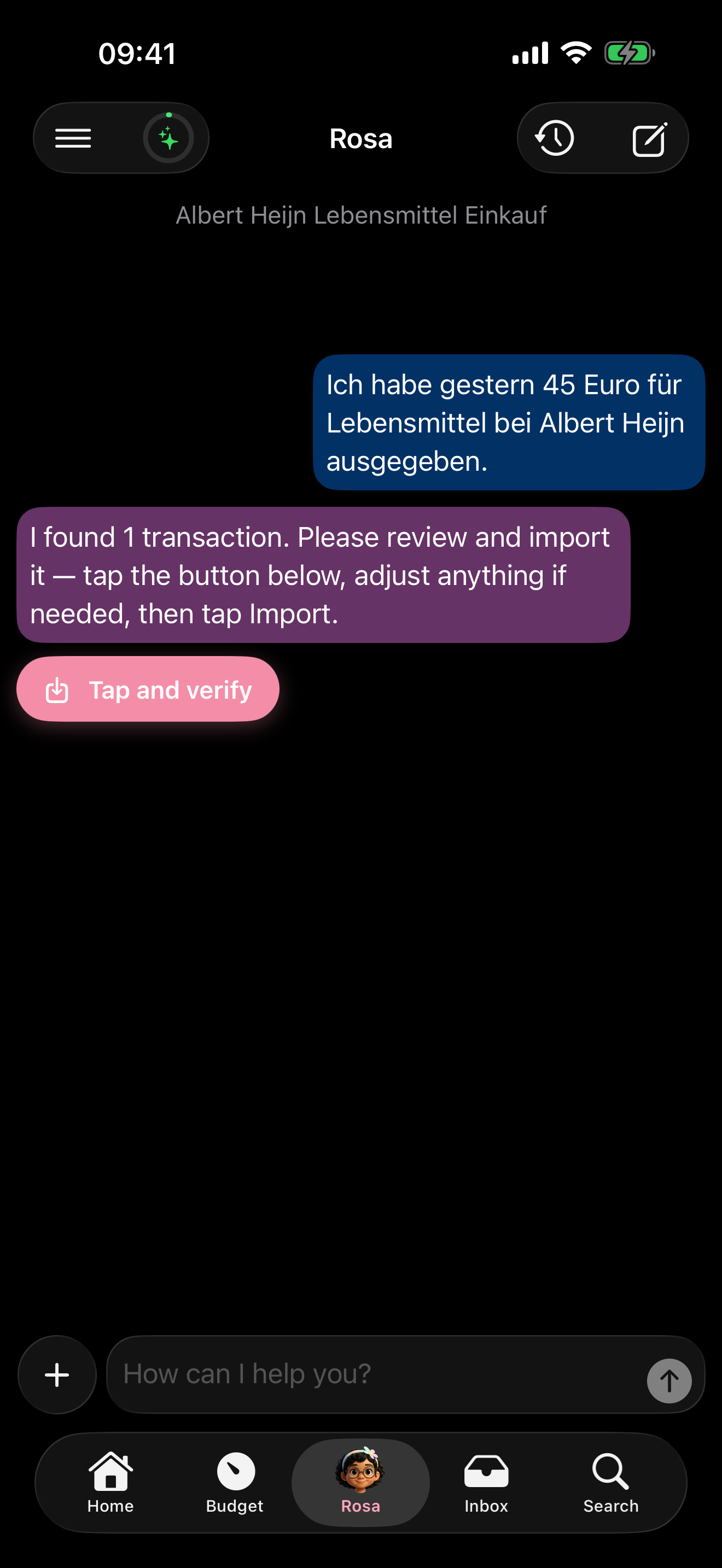
Type in different languages

Prefer typing? Write in German, Spanish, or the language you're comfortable with. Rosa understands the context and creates the transaction in your own language — no translation on your part needed.

"Ich habe 45 Euro für Lebensmittel ausgegeben" → €45 groceries transaction.

German text input
English transaction from German input

Your data. Your control.

No bank linking. No setup required. Add your accounts by hand if you want balances, and your financial data stays on your device and in EU servers.

Learn more about privacy

Get Rosemoni

Available now on the App Store

Download on the App Store

Notes

† Voice input uses your device's built-in keyboard dictation feature.

‡ Daily usage limits apply to messages, image processing, and rule optimizations.